Italiano

Before the technology, look at your event
When it comes to check-in, the temptation is to start from the tool: the QR code looks the most modern, the check-off the simplest, the signature the most rigorous. But an event check-in system is not chosen by how it looks in a demo. It is chosen by how well it holds up during the most delicate moment of the day, when dozens or hundreds of people turn up at the entrance in the same fifteen minutes.
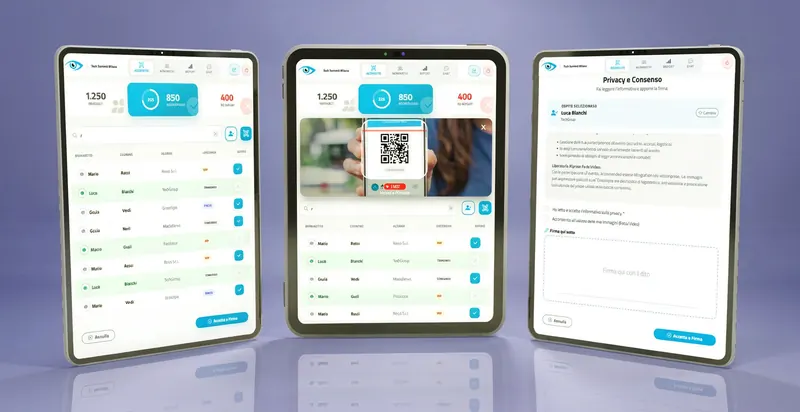
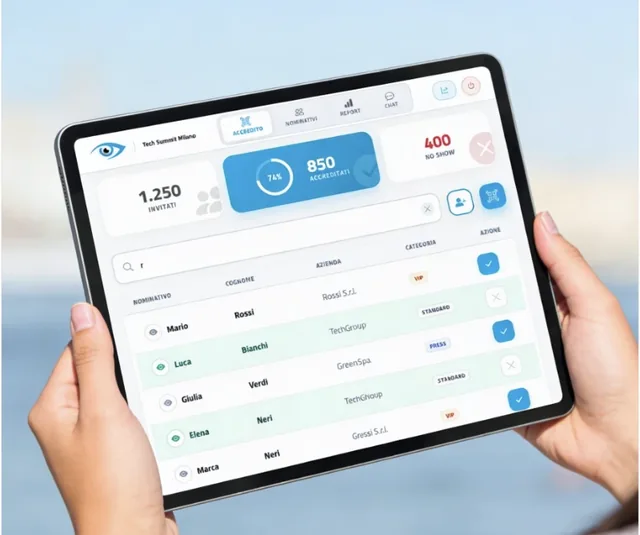
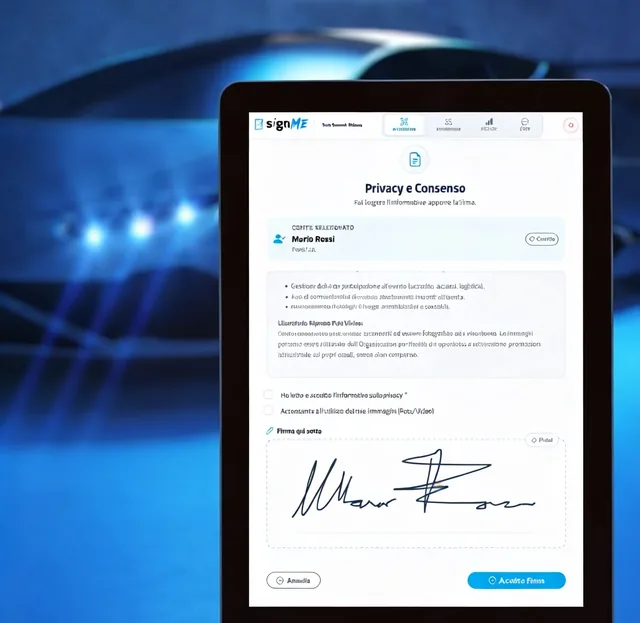
The three methods do different things. A digital check-off is a guest list on a tablet or smartphone: the operator looks up the name and confirms entry with a tap. A QR code is a personal code the guest receives before the event and shows at the gate, where it is read by the device camera. A tablet signature adds the reading and acceptance of a document to the entry process, such as a privacy notice or a release form, and produces a signed PDF.
What sets each method apart, and what value a signature collected on a tablet has, is explained in Digital check-in: QR code, check or signature?. Here we take a different step: we start from your event and work towards the solution by answering four practical questions.
The underlying principle. The right system is the one that keeps the queue short at peak arrival time and leaves you, at the end of the event, with exactly the evidence and data you need. Everything else is secondary.
How many people arrive, and how quickly
The total number of guests matters less than you might think. What matters more is how their arrivals are spread over time. A gala dinner with two hundred guests arriving over an hour is a relaxed check-in; a conference with the same number of people all entering in the ten minutes before the plenary session is a bottleneck.
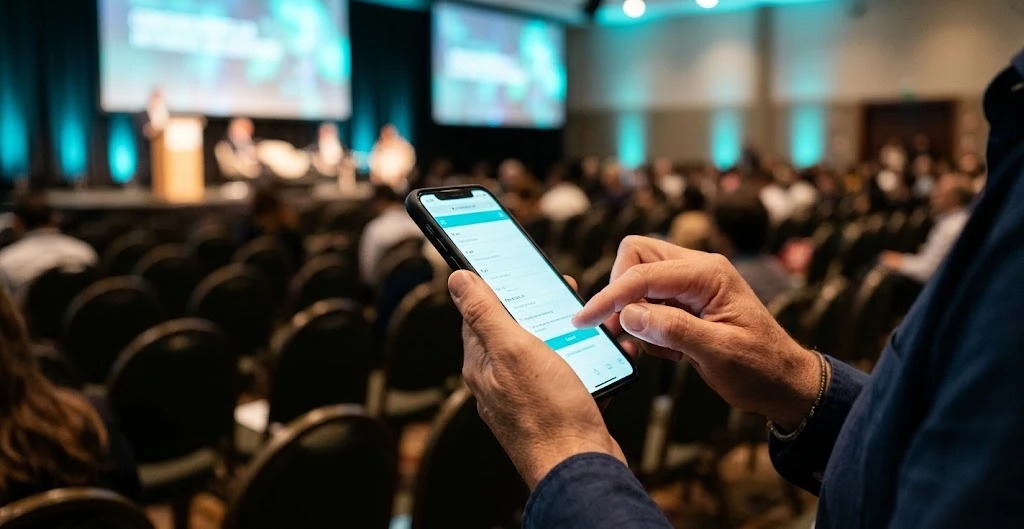
With a check-off, each entry requires a name search: a few letters are enough, but the operator still has to type, scroll and confirm. With spread-out arrivals or smaller numbers this takes very little time, and the conversation with the guest becomes part of the welcome. When arrivals are concentrated, however, the QR code makes the difference: the operator scans the code and entry is recorded without typing anything. According to the goAhead+ product sheet, scanning completes check-in in less than a second.
If the event lasts several days or has more than one entrance, consider this too: all devices must see the same up-to-date list, so that someone who entered through one gate does not appear absent at another. We covered this in detail in Event check-in: manual check or QR code?.
What guest list you have before the event
The second question is about data. A QR code works well when you have a named list with reliable email addresses or phone numbers, and the time to send the code before the event. Each guest receives a personal code and shows it on their smartphone. If the list is incomplete, or if invitations go through third parties, such as a sponsor inviting its own customers, there is a risk that some guests will arrive without a code.
That is not a serious obstacle: with goAhead+, guests who have forgotten their QR code are checked in with a name search, just like a check-off. But if you already know that many guests will arrive without a code, a digital check-off may be the more straightforward choice. You can find how the QR code process works, from sending to the gate, in QR code accreditation: how it works and why it pays off.
The opposite case applies too: invitation-only events where the list is curated name by name and guests are personally expected. Here a check-off lets the operator immediately see company, category, companions and useful notes, such as the assigned table. We described which features make a digital list truly useful in Event accreditation software: essential features.
In every case, the list should reach the desk without being retyped. With all three systems you can import it from Excel or CSV, or synchronise it with the webRay® guest management platform, so registrations and check-in work on the same data.
What you need to be able to prove afterwards
The third question is the one most often forgotten: what do you need to have in hand once the event is over? For many events it is enough to know who came in and when, perhaps with a report for the client. Check-off and QR code both record the date and time of each check-in and produce Excel reports showing attendees, no-shows and turnout.
There are, however, situations where attendance alone is not enough. Think of a test drive, an activity in a restricted area, an event where photos and video will be taken, or a course where participation must be documented. In these cases the guest needs to read and accept a document, and that acceptance must leave a trace. This is where tablet signatures come in: with signMe the guest reads the text, ticks the required consents, each one mandatory or optional, and signs with a finger or a stylus. The system generates a PDF with the signed text, date, time and guest details and stores it in the cloud.
How this step works at the desk is described in Paper signatures at the desk? How to collect digital signatures and consents at the event entrance. A practical tip: which documents to have signed, with which wording and for how long to keep them should be decided with your privacy or legal advisor. The tool collects and stores; the content and its validity for your specific case should be checked with whoever advises you on these matters.
Who works at the desk, and with which devices
The last question is about people. How many operators will you have? Have they worked on a digital check-in before? Will someone be coordinating the gates?
All three systems are web apps: they run in the browser, with nothing to install, and there is no fixed limit on the number of connected operators. Check-off and QR code work on smartphones, tablets and PCs; signatures require a touch-screen device, usually a tablet, because that is where the guest signs. All of them need an internet connection: it does not have to be powerful, but it should be checked in advance at the venue, especially in basements or very crowded spaces.
Time per guest also varies. With a QR code the operator scans and moves on. With a check-off they search and confirm. With a signature the guest has to read the document and sign: the signMe product sheet states that collecting the signature takes less than ten seconds, but reading time depends on the length of the text. If you plan to collect signatures from everyone, size the number of stations for the peak, not for the daily average.
Finally, coordination. In all three systems the control room sees invited guests, checked-in guests and no-shows in real time, and operators at different gates can message each other in a built-in chat to flag special cases. With the Magic Link you can also share a read-only dashboard with your client or sponsor.
The decision path, event by event
Putting the four answers together, the picture becomes simpler. The table summarises some typical scenarios: it is not a fixed rule, but a starting point for thinking about your own case.
| Type of event | What matters most | Recommended system |
|---|---|---|
| Invitation-only event, smaller numbers, spread-out arrivals | Personal welcome, companions and notes | Digital check-off (goAhead) |
| Gala dinner or exclusive event | Recognising the guest, table and details at a glance | Digital check-off, possibly with QR code |
| Conference or congress with concentrated arrivals | Speed at the gate during peak minutes | QR code (goAhead+) |
| Trade fair, convention or large corporate event | Multiple gates, high flows, guest services | QR code, with name search as a fallback |
| Test drive, restricted area, photo and video shoots | Consent read and signed by each guest | Tablet signature (signMe) |
| Course or training event with attendance to document | A lasting record of participation | Tablet signature, assessed with your advisor |
Two notes complete the table. The personal goAhead+ QR code can also be used beyond the entrance, for example to hand out free drinks and gadgets or to run the cloakroom: if your event includes these services, that is one more reason to choose it. And if unexpected guests are common, all three systems let you register a walk-in directly at the gate, with first name, last name, company and email.
When it makes sense to combine systems
Many events do not fit a single scenario. A congress may have a main entrance with large flows, a workshop area with limited places and a hands-on session that requires a release form. In these cases the question is not which system to choose, but which one to use at each point.
The goAhead check-in suite was built for exactly this: goAhead for digital check-off, goAhead+ for QR codes and signMe for tablet signatures share the same management logic and the same data. You can use the QR code at the entrance and the signature only at the test drive area, without managing two separate lists. And if registrations go through webRay®, guest records and reports stay synchronised with the platform.
The practical advantage is that staff learn a single logic, and at the end of the event you have one complete view of attendance. It is also one of the reasons why moving away from paper lists simplifies the work of the organising office even before that of the desk, as we explained in Digital accreditation: 5 reasons to adopt it at events.
How to prepare check-in in 5 steps
Once you have chosen the system, these steps help you reach event day without surprises.
- Map arrival flowsEstimate how many people will arrive at peak time, through which entrances and on which days, and decide where stations are needed.
- Prepare the listImport guests from Excel or CSV, or synchronise them from webRay®, and check that emails and phone numbers are correct if you will be sending QR codes.
- Decide what to recordChoose the fields visible to operators, such as company, category or table, and, if signatures are needed, agree wording and consents with your privacy advisor.
- Test devices and connectionTry smartphones and tablets at the venue, check internet coverage at each check-in point and plan spare devices.
- Run a rehearsal with staffSimulate check-ins with a code, without a code, walk-ins and companions, and make sure everyone knows how to use the chat to flag special cases.
Checklist before you decide
Before confirming your check-in system, make sure you have a clear answer to these points.
Check-in system: do you have all the answers?
Peak arrivals estimated. You know how many people will enter in the busiest minutes and through which gates.
Reliable list. You have correct contacts to send codes, or you know many guests will arrive without one.
Required evidence is clear. You know whether attendance is enough or a signed consent is needed, and you have checked with your advisor.
Staff and stations. The number of operators and devices is planned for the peak, not the average.
Connection tested. Internet coverage has been tested at every check-in point.
Reports agreed. You know which data to deliver to the client after the event and whether to share the live dashboard.
Frequently asked questions
Which check-in system is the fastest?
The QR code, because the operator scans the code without typing anything. It is the best fit when many guests arrive at the same time. A check-off remains very quick with spread-out arrivals or smaller numbers.
What happens if a guest arrives without a QR code?
With goAhead+ the operator searches for them by first and last name and completes the check-in. If the guest is not on the list, they can be registered at the gate with the walk-in feature.
When is a signature needed at the entrance?
When knowing who came in is not enough and the guest must have read and accepted a document, such as a notice, a release form or event rules. Which documents to have signed should be decided with your privacy or legal advisor.
Can several systems be used at the same event?
Yes. goAhead, goAhead+ and signMe share the same logic and the same data: you can use the QR code at the entrance and signatures only where needed, with a single view of attendance.
Do I need to install an app on the devices?
No. All three systems are web apps and run in the browser. An internet connection is required, even a standard one, and should be checked in advance at the venue.
Not sure which one to choose?
Check-off, QR code or signature: with the goAhead check-in suite you can use the right method at every gate, with a single list and real-time reports. Tell us about your event and we will suggest the most suitable solution.