Italiano
Why an efficient accreditation system really matters
Picture the scene: attendees stuck in a long line, stressed staff scanning endless printed sheets for names, possible mix-ups or duplicate registrations. A scenario that's unfortunately common, and one that doesn't just cause frustration — it damages the image of the event and the organization behind it. A well-designed accreditation system, by contrast, turns arrival into a pleasant, smooth moment, kicking off the experience the right way.
Effective check-in isn't just about speed — it's also about accuracy, security and data collection: it lets you know in real time who's checked in, monitor access to different areas, handle last-minute issues, and gather useful information for future events or marketing analysis.
Manual tick check-in: when simplicity still makes sense
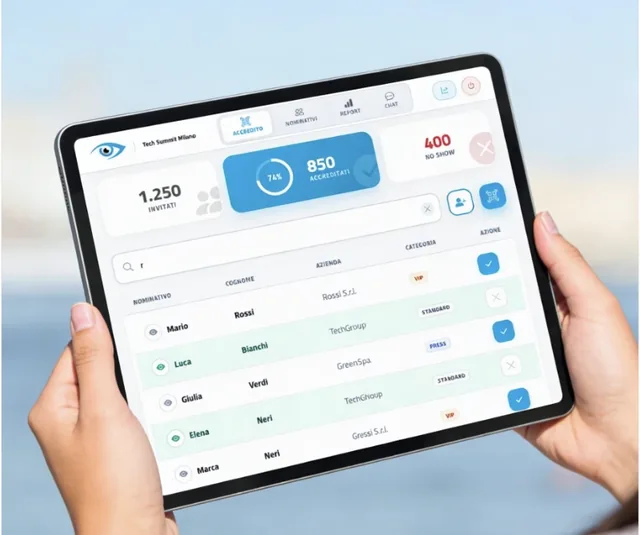
Manual tick check-in is the most traditional method: a paper list (or a simple Excel file on a laptop) with attendee names, ticked off one by one as people arrive.
Advantages
- Extreme simplicity: no technology or specific training required.
- Zero upfront cost, aside from printing.
- No dependence on technology: no battery, connectivity or software compatibility issues.
Drawbacks and limits
- Slowness: finding a name on a long list takes time, especially with high foot traffic, creating significant queues.
- High risk of errors: typos, name mix-ups, and hard-to-read handwriting can cause problems and delays.
- No real-time data: impossible to know how many people have entered or get instant statistics.
- Less professional: for structured events, showing up with paper sheets can project a disorganized, dated image.
- Hard to handle last-minute changes: new registrants or cancellations are complicated to manage.
- No integration with other systems, such as sending certificates or collecting feedback.
- Environmental impact: paper waste.
When to consider it
- Very small events (under 20-30 attendees).
- Informal gatherings where check-in speed isn't a priority.
- Extremely tight budgets with no technology resources available.
QR code scanning check-in: speed, accuracy and modernity
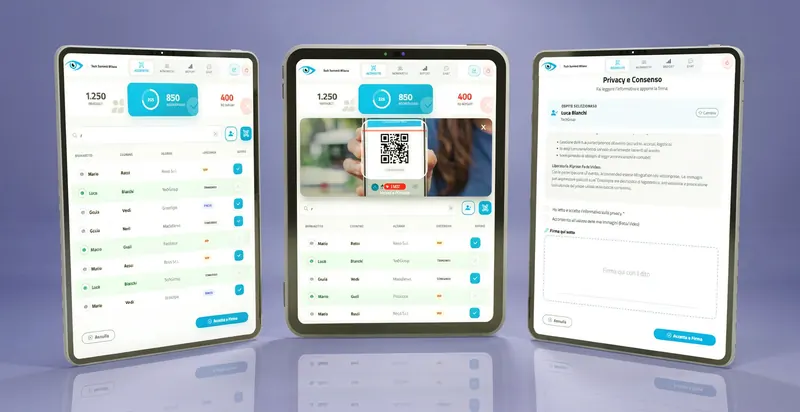
QR-code-based check-in is today the most efficient solution for the vast majority of events. Each attendee receives, typically by email at the time of registration, a unique QR code; at the entrance, staff use a smartphone, a tablet with a dedicated app, or a scanner to read the code and log the entry.
Advantages
- Unbeatable speed: scanning takes a few seconds; some advanced systems can process hundreds of attendees an hour at each check-in point.
- Maximum accuracy: eliminates name mix-ups or manual registration errors — every code is unique.
- Real-time data: instant monitoring of entries, headcount, peak times — essential for logistics and post-event analysis.
- Professionalism and a modern image.
- Flexibility: easy handling of walk-ins, VIPs, differentiated area access.
- Security: prevents unauthorized access or ticket duplication, if the system invalidates the code after first use.
- Integration with CRM, email marketing, and on-the-spot personalized badge printing.
- Sustainability: reduces or eliminates printed lists.
A documented case from Cvent: at the EXPCON event, switching to an on-demand check-in and badge-printing system brought registration to under 30 seconds per person, cutting overall wait times by more than 50% compared to the previous process.
According to an Eventify report, 66% of event attendees say touchless check-in systems have a positive impact on their overall experience.
Drawbacks
- Device requirements: needs smartphones, tablets or dedicated scanners, plus staff able to use them.
- Possible internet dependency: some apps need an active connection for real-time data syncing, though many offer offline modes.
- Upfront cost: possible cost for software or dedicated hardware, though many smartphone apps are free or inexpensive.
- Minimal learning curve for staff.
- Accessibility: make sure every attendee knows how to present their QR code.
When to choose it
- Conferences, trade shows, seminars, corporate workshops.
- Events with more than 30-50 attendees.
- Events that need a professional, tech-forward image.
- When you need to collect precise attendee and access data.
- Events with multiple ticket types or differentiated access.
Manual tick vs. QR code: a direct comparison
| Feature | Manual tick | QR code scan |
|---|---|---|
| Speed | Slow (up to 2 min/person) | Fast (seconds/person) |
| Accuracy | Low (error-prone) | High (unique codes) |
| Real-time data | No | Yes |
| Professionalism | Low | High |
| Upfront cost | Zero | Variable (software/hardware) |
| Hidden costs | Staff time, errors, dissatisfaction | Minimal |
| User experience | Potential frustration | Smooth and positive |
| Security | Low | Medium/High |
| Walk-in handling | Complicated | Simplified |
| Environmental impact | High (paper) | Low/None |
How to choose the right accreditation system for your event
The decision depends on a set of factors specific to your event.
- Event size: under 30 attendees, manual tick might suffice; beyond that, QR code becomes nearly essential.
- Event type: the more formal and structured the event, the more QR code is called for.
- Budget: manual tick is apparently zero-cost, but factor in the hidden costs of slowness and errors — many QR code solutions are affordable today.
- Technology and staff resources: do you have smartphones or tablets available, and staff who can use them with minimal training?
- Data collection needs: if you need precise statistics or integration with marketing activities, QR code is nearly the only choice.
- Attendee expectations: in an increasingly digital world, a fast, tech-forward check-in improves how the event is perceived.
- Additional features: on-the-spot badge printing, session-specific access control, post-check-in communications — only a digital system can offer these.
Beyond simple check-in: the power of an integrated system
A modern accreditation system goes well beyond scanning at the door. Complete solutions, like those you can explore in our accreditation and check-in software suite, can offer:
- Online registration platforms with automatic QR code generation.
- Customized registration field management.
- Automated communications: confirmation emails, reminders, the QR code itself.
- On-site badge printing, personalized at the moment of check-in.
- Intuitive apps for staff, to manage the flow.
- Advanced statistics on attendance, entry times and other useful data.
- Session management, to control access to specific conferences or workshops.
Tips for flawless check-in (especially with QR code)
- Test it in advance with different devices and scenarios.
- Train your staff so they know how to use the tools and handle small issues, like a QR code that's hard to read on a too-dark phone screen.
- Ensure a stable connection (Wi-Fi or mobile data) and consider solutions with an offline mode.
- Keep devices charged: power banks or charging points for tablets and smartphones.
- Get the lighting right: good lighting helps with scanning, especially from smartphone screens.
- Communicate clearly to attendees how to present their QR code (digital or printed).
- Set up multiple check-in points for large events, with clear signage to direct flow.
- Staff a dedicated help desk for problem cases, like someone who forgot their QR code.
- Keep a manual backup — a digital reserve list for quick manual lookups in exceptional cases.
Choosing between manual tick and QR code isn't trivial. While manual tick can still find a narrow niche in very small, informal settings, QR code stands out as the standard for efficiency, professionalism and data collection across the vast majority of modern events. For a deeper look at the technology behind it, see our guide on QR code accreditation: how it works and why it pays off.
Frequently asked questions
When does manual tick check-in still make sense for an event?
Does QR code check-in always need an internet connection?
At what attendee count is it worth switching to QR code?
Can a QR code check-in system handle walk-ins?
Do you still need a backup if you're using QR codes?
Ready to choose the right check-in system?
I.T.S. Planet's goAhead suite covers both approaches — digital tick and QR code — with the flexibility to fit any type of event.
Discover the goAhead suite