Italiano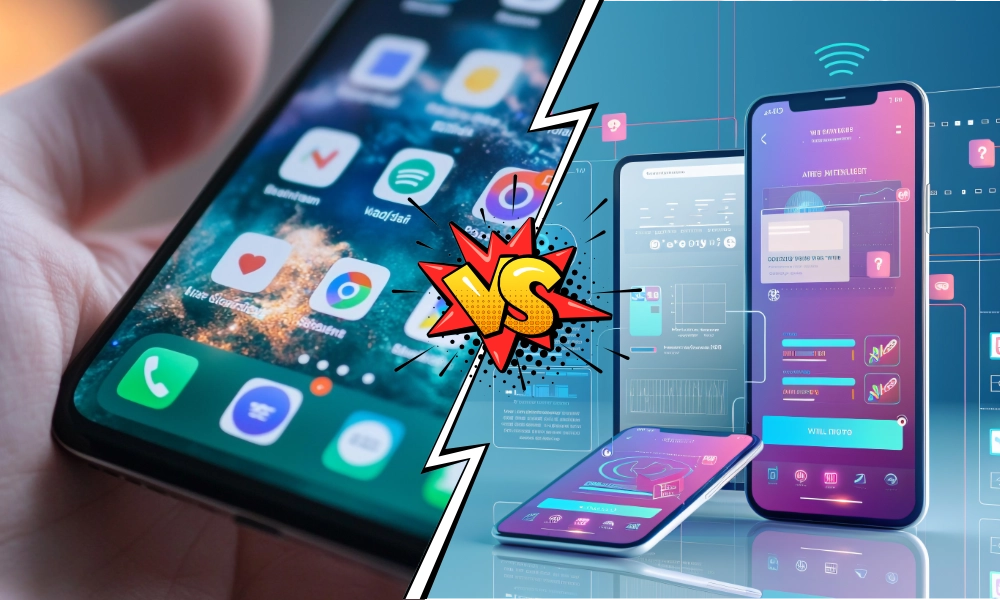
What an event web app is
An event web app is an application accessible through a browser (Chrome, Safari, Firefox) on any internet-connected device, whether that's a computer, a tablet, or a smartphone. It requires no download or installation from a store like the App Store or Google Play: a URL is all that's needed to access it.
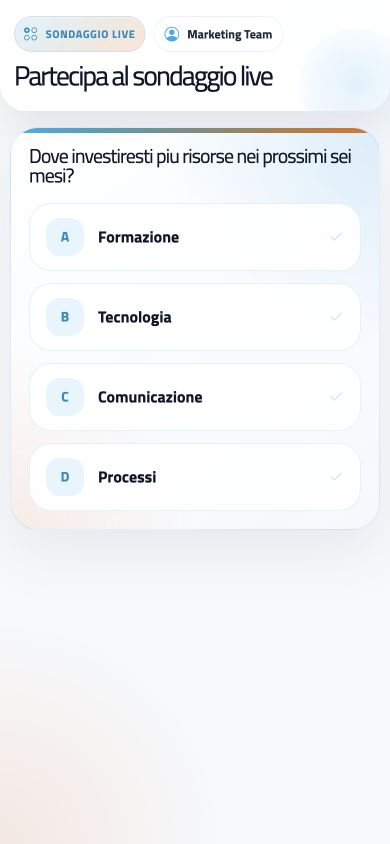
Event web apps are built with standard web technologies like HTML, CSS, and JavaScript, and can offer a wide range of interactive features, from displaying the agenda and speaker profiles to joining live polls and Q&A sessions.
What a native event app is
A native event app is an application built specifically for a mobile operating system (iOS or Android). Users need to download and install it from the store for their device. Native apps make the most of device-specific features like the camera, GPS, push notifications, and direct hardware access.
They deliver strong performance and an experience optimized for the operating system, but require separate development for each platform, which means higher development costs and longer timelines.
Detailed comparison: web app vs native app
| Aspect | Web app | Native app |
|---|---|---|
| Development | One team, one codebase, all devices | Separate teams for iOS and Android |
| Indicative cost | MVP roughly $8,000–$50,000 | $50,000 to $250,000+ for iOS + Android |
| Time to launch | A few weeks | 6–12 months |
| Access | Link or QR code, no download | Download and install from a store |
| Updates | Instant, server-side | Require downloading the new version |
| SEO and indexing | Indexable by Google | Not organically indexable |
| Advanced hardware features | Limited to available web APIs | Full, direct access |
Cost and timeline sources: Lovable, Clutch data
Development and costs
An event web app is built once and works across every device through the browser, significantly cutting costs and timelines compared to a native app, which requires separate teams, testing, and maintenance for each platform.
Accessibility and reach
Attendees can access a web app by simply clicking a link or scanning a QR code, skipping the download-and-install step from a store. This removes barriers to entry and boosts participation, especially for events with a mixed audience using different devices and operating systems. Native apps, by contrast, limit access to people who own a device compatible with the platform the app was built for.
Updates and maintenance
Updating a native app requires users to download and install the new version, a process some users delay or skip, leaving outdated versions in circulation. Web apps, on the other hand, update server-side: changes are visible to everyone the next time the page loads, greatly simplifying maintenance.
An app's maintenance cost adds up over time: according to various industry analyses, it typically runs around 15-20% of the initial development cost per year, a share that hits twice as hard when two separate native versions need to be kept up.
User experience
Native apps can offer a smoother experience by tapping into device-specific features. Modern web technologies, like Progressive Web Apps (PWAs), have closed much of that gap: a well-built web app can offer an engaging, responsive experience, with a responsive design that adapts to any screen size. Many PWAs can also be "installed" on the home screen and send push notifications, narrowing the gap with native apps even further.
Features and integrations
Both web apps and native apps can offer personalized agendas, attendee networking, downloadable materials, live streaming, polls, Q&A, and gamification. Native apps retain an edge for advanced hardware features (like camera-based augmented reality), but web apps integrate easily with other services through APIs, such as email marketing platforms, CRMs, and social media.
Why we prefer web apps for events
The numbers in favor of web apps
- 50-70% lower indicative cost compared to an equivalent native app (source: Lovable, Clutch data)
- 2-3x faster time to market compared to a native app (source: Lovable, Clutch data)
- No download required: 100% of the audience can potentially access it, with no operating-system barriers
- 79% of event organizers rank ease of use as a top priority when choosing a tool (source: EventMB)
Lower costs and faster development
Lower development and maintenance costs, combined with shorter build times, make web apps a more accessible solution, especially for events with tight budgets or short deadlines.
Universal accessibility
Making sure every attendee can easily access the application, regardless of device or operating system, is essential for maximizing engagement and participation. Web apps remove the barriers tied to compatibility and downloads.
Simple, instant updates
Being able to roll out real-time updates and fixes, with nothing required from users, ensures everyone always has access to the latest information and reduces the workload for organizers, who don't need to support multiple app versions in the wild.
SEO-friendly
Web apps are indexable by search engines: content like the agenda, speaker profiles, and event information can be optimized for relevant keywords, improving ranking on Google and attracting a wider audience. Native apps don't offer this organic SEO advantage.
eventMe: the web app for your event's success
In this landscape, eventMe stands out as an event web app built specifically to maximize engagement and results. It offers a complete, intuitive platform that brings together the essential features for engaging attendees, managing content, and measuring event results, with particular attention to the user experience on any device.
- Personalized agendas with filters and bookmarking
- Detailed speaker profiles, with links to social media and presentation materials
- Attendee networking through private and group chat
- Live streaming and interactive sessions: real-time polls, Q&A with question voting
- Secure sharing of downloadable materials (presentations, white papers)
- Analytics dashboards on attendee engagement
eventMe is designed to facilitate two-way communication between attendees and organizers, boost engagement through interactive features, centralize all relevant event information in one place, and collect useful data on attendee behavior, to measure the event's success and improve future editions.
Measuring event results with a web app
One of the biggest challenges in organizing an event is measuring results and ROI (return on investment). Web apps like eventMe offer built-in analytics tools to track key metrics:
- Number of active attendees and average time spent on the platform
- Most viewed and highest-rated sessions
- Level of interaction with polls and Q&A (participation rate, questions asked)
- Feedback collected through post-event satisfaction surveys
- Leads generated through interactions and contact requests
This data helps you understand how well the event met its goals and identify areas to improve for future editions, while also demonstrating the event's value to stakeholders.
Practical tips for choosing your event app
When deciding between a web app and a native app, ask yourself these questions:
Questions to ask before choosing
- What's your budget for development and maintenance?
- How much time do you have to build and launch the application?
- What devices and operating systems does your audience use?
- Which features are truly essential?
- What are your main goals (engagement, leads, visibility)?
- How much are you willing to invest in future maintenance?
For most events, the advantages web apps offer in cost, universal accessibility, ease of updating, and online visibility make them a more effective, cost-efficient solution. If you're also evaluating the registration and operational side of your event, you might find our webRay event secretariat platform useful.
Frequently asked questions
Just a browser and an internet connection: attendees get access by clicking a link or scanning a QR code, with nothing to download or install from a store. Many Progressive Web Apps (PWAs) can send push notifications and can even be added to a smartphone's home screen, closing much of the gap with native apps on this front. When the event needs advanced hardware features that web APIs don't cover, such as camera-based augmented reality or heavy, sustained offline use, a native app can offer advantages that outweigh the extra cost.What do attendees need to use an event web app?
Can an event web app send notifications like a native app?
When does it make sense to choose a native app over a web app for an event?
Want a custom web app for your next event?
With eventMe, give attendees agenda, networking, and live interaction in a single web app, with no download and accessible from any device.
Discover eventMe