Italiano
When an event has a single entrance, checking who comes in is relatively simple. Difficulties begin when people move between several areas and each area has its own rules: who can enter, at what time, with what ticket. In this article we look at how digital check-in helps manage several control points, what changes in practice and which questions to ask before choosing a solution.
Why more gates make control harder
Picture thousands of attendees moving between the main entrance, conference rooms, exhibition pavilions, restricted areas or food zones. Every gate is a possible slowdown. With paper lists or simple wristbands, control is slow, hard to verify and gives no overview. Problems pile up:
- queues create waiting and push the schedule back;
- staff under pressure can make mistakes and checks lose accuracy;
- you cannot know for certain how many people are in each area at a given moment;
- after the event, reliable data on attendance and flows is missing.
Knowing roughly how many people are in an area helps manage flows, but it does not replace the event's safety plan, which remains the organiser's responsibility. For more on why to move past entrance queues, you can also read 5 reasons to switch to digital accreditation.
How digital check-in works across several gates
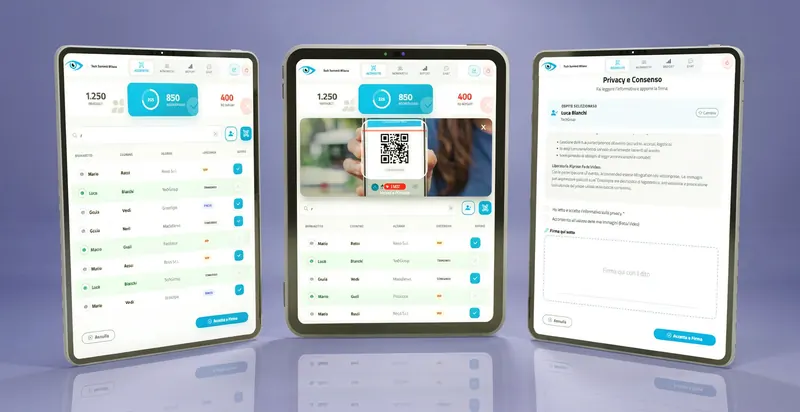
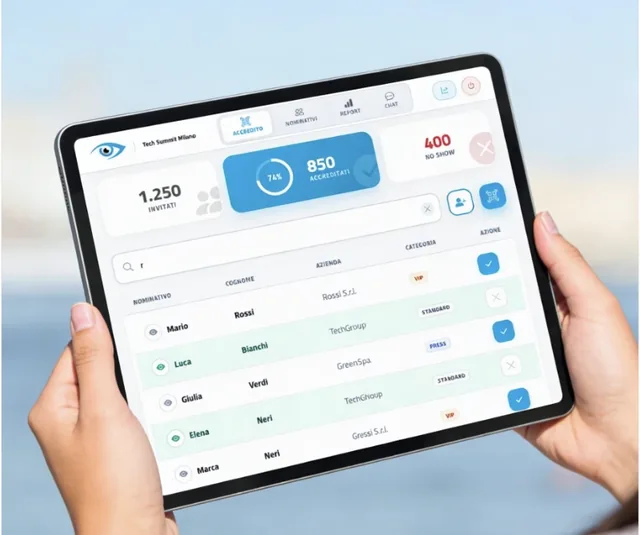
The starting point is an online accreditation platform that assigns each attendee a unique identifier, usually a QR code. The attendee receives it by email and keeps it on a smartphone, or finds it printed on a badge. At the gates, operators use smartphones or tablets to scan the codes, and every pass is recorded in a central archive.
If the devices are connected to the same platform, a pass recorded at one gate can also be visible at the others. This makes it possible to notice a second use of the same code and to keep the data in one place. A connection must be available at the control points, though: this is something to check during preparation.
What changes compared with traditional methods
| Aspect | Paper lists and wristbands | Digital check-in |
|---|---|---|
| Speed at the gate | Depends on looking up the name by hand | Scan or tick-off in moments |
| Double entries | Hard to verify across different gates | The pass is recorded and can be seen at the other gates |
| Overview | Absent until counted by hand | Attendance viewable in real time |
| Different access by area | Handled verbally or with colours and wristbands | Can be set per attendee, to be checked with the provider |
| Data after the event | Has to be rebuilt by hand | Reports available from the platform |
The elements of an effective system
- Data in one place. Information converges on a single control screen.
- Speed. Verification takes moments and the flow of people stays steady.
- Traceability. Every access is recorded: you know who came in, where and when.
- Adaptability. The solution has to be sized to the event, from a company meeting to a show with many gates.
What you get in practice
Less waiting, fewer mistakes
Quick verification reduces queues and the risk of human error. A smooth entrance is also the first sign of a well-run event and helps leave a positive memory, which can influence the wish to come back to later editions.
Staff used better
When control is faster, part of the staff can be assigned to welcoming and assisting guests instead of looking up names. How much staff can be reassigned depends on the event and the number of gates.
Data to decide with
Every recorded pass is a data point. Reports show which sessions drew the most attendees, which areas attracted the most people and when arrivals peak. This is useful for organising the next edition better and for talking to exhibitors and sponsors with concrete attendance figures.
Practical examples
At a trade show, check-in can serve not only at the entrance but also for access to limited-capacity workshops or private presentations. At a congress it helps monitor attendance in individual rooms and have documented attendance, for example to issue certificates.
At a large event with several areas and restricted zones, seeing in real time how many people are in each area helps prevent overcrowding, while separate control of restricted areas allows access only to the staff and guests intended.
What to ask a check-in system before choosing it
Differences between solutions show up in the details. These questions help you compare them concretely.
Questions for the provider
Integration and data: two more points of care
Check-in data should not stay isolated. Knowing who attended and which sessions they joined can help with follow-ups and with updating contacts after the event. Integration with CRM, email marketing or analytics tools is evaluated case by case, depending on the systems in use and the goals. For more on this topic, see integrating the event secretariat with company systems.
There is also a point not to overlook: recording a person's passes from one area to another means processing personal data. Privacy notice, purposes and retention times should be defined before the event, and it is worth talking to a privacy adviser.
Where to start
- Map the gates. List the control points and sketch the main routes the public will take.
- Define who enters where. Set the profiles (public, speakers, exhibitors, staff) and the areas allowed to each.
- Choose the check-in method. QR code, tick-off by name or signature: the choice depends on the event, as explained in QR code, tick-off or signature.
- Run a rehearsal before the event. Simulate arrivals with the staff and check network coverage at every gate. More ideas in how to avoid 5 mistakes in accreditation management.
Frequently asked questions
It depends on the solution. Operators' smartphones or tablets are often used, but this is a point to clarify with the provider based on the size of the event. Yes. Digital tick-off accreditation works on the name, without every guest needing a code. For cases that start from an existing list, see QR code check-in with just the list. If the gates are connected to the same platform, the second pass can be flagged to the operator. The exact behaviour depends on how the system is configured. Yes, because it links a person's name to their passes. That is why the notice and purposes should be defined before the event, with the support of a privacy adviser.Do I need a dedicated device at every gate?
Can I use a simple guest list?
What happens if someone uses the same code twice?
Is access data personal data?
Want to manage every gate of your event from one place?
The goAhead accreditation suite brings together QR code scanning, name tick-off, signatures, consents and live attendance reports, so you can follow access while the event is under way. Find out how it can adapt to the gates of your event.
Discover the event accreditation suite