Italiano
In short
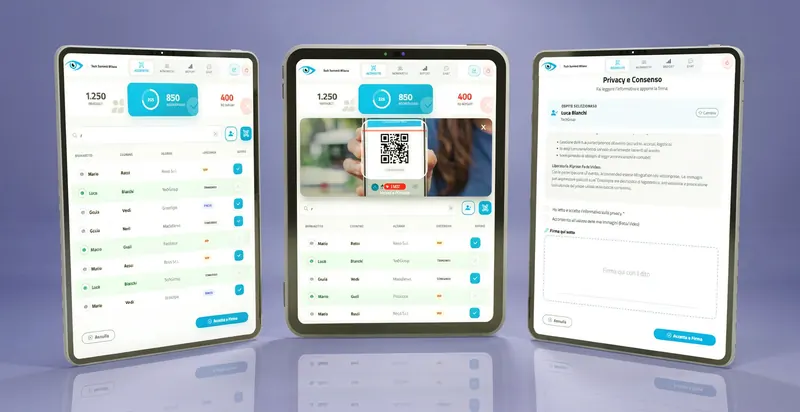
Digital check-in, or digital accreditation, replaces paper lists with an electronic pass, usually a QR code, scanned at the entrance. It brings five benefits: shorter lines, a better first impression, real-time attendance data, more control over access and less paper. The result still depends on software, devices and staff training.
Traditional check-in: what goes wrong
We all remember it, and at many events it still works this way: a desk at the entrance with printed lists, staff searching for a name among hundreds of rows, a pen that stops writing at the worst moment and guests waiting. It is a familiar method, but it has clear limits.
- Lines. Finding a name and marking attendance takes time for every person: when arrivals bunch up, a queue is almost inevitable.
- Manual errors. A misspelled name, a skipped row or a wrong badge cause embarrassment right at the welcome moment.
- Paper and costs. Lists, forms and printed badges cost time, materials and environmental impact.
- Data that arrives late. How many people are here right now? With paper lists you only find out after the event, once everything has been processed by hand.
- First impression. The entrance is the first contact with your event: if it is slow and cumbersome, it colors the perception of everything else.
What digital check-in is and how it works
Digital check-in, also called digital accreditation, is a system that automates the registration and admission of attendees at an event. Instead of paper lists, it uses dedicated software, electronic devices and a digital pass for each guest.
How it works is simple:
- Online pre-registration. The attendee signs up through a portal or platform and provides their details. To manage this phase well, see why use a dedicated tool for registrants.
- Digital pass. They receive an electronic ticket by email or in an app, usually a QR code (a small square readable by the camera), a barcode or, in some cases, a badge or smartphone with NFC technology, the same short-range contact used for phone payments.
- Scan at the entrance. The attendee shows the pass on their smartphone or printed, and an operator scans it with a reader or with an app on a tablet or smartphone.
- Immediate access. The system verifies the pass instantly and, if it is valid, allows entry. Some systems also print a personalized badge.
If you are not sure which option to choose between QR code, digital tick-off and signature, our comparison QR code, tick-off or signature can help. To understand the first one in detail, read how QR code accreditation works.
5 reasons to switch to digital check-in
Moving to digital check-in is not just about image: it is an organizational choice with concrete benefits. Here are the five main ones.
1. Operational efficiency: shorter lines, smoother flow
This is the benefit you notice right away. Scanning a QR code takes a few seconds, while searching for a name in a list takes much longer: with the same number of desks, the accreditation area clears people faster.
- Less staff on the ground. An automated process needs fewer operators at the entrance and frees people for other tasks during the event.
- Less stress for your team. A smooth system eases the pressure on those welcoming guests, who can work more calmly.
- Fewer transcription errors. The system reads the pass; nobody copies it by hand.
A simulation: a trade show with 2,000 visitors
The assumptions are ours, not measured data: 5 desks and a steady flow of arrivals.
- With a manual list, at 60 seconds per person: 2,000 × 60 seconds ÷ 5 desks = 24,000 seconds, about 6 hours 40 minutes.
- With digital scanning, at 15 seconds per person: 2,000 × 15 seconds ÷ 5 desks = 6,000 seconds, about 1 hour 40 minutes.
Real times depend on software, devices, how concentrated arrivals are and how well the staff are prepared. The calculation shows how the order of magnitude changes when the time per person gets shorter.
2. Attendee experience: a first impression that counts
An event's experience starts before the first talk or the opening of the stands. Arrival is the calling card of the whole event.
- Less waiting, more comfort. A quick, smooth entrance lets people start the event in a positive, relaxed way.
- An image of professionalism. Using technology signals a well-organized event that cares about its guests' needs.
- Personalized welcome. Some systems show a welcome message with the attendee's name or send a notification with useful information right after entry.
- A single access point. If the event has a web app or app, check-in can be integrated with ticket, program, maps and networking, as in the eventMe event web app.
A practical tip: send a reminder with the QR code and clear instructions before the event. To make sure it lands in the inbox and not in spam, read how to avoid spam filters in event emails.
3. Real-time data: knowing what is happening as it happens
One of the most strategic benefits is the ability to collect and analyze data, often while the event is still running.
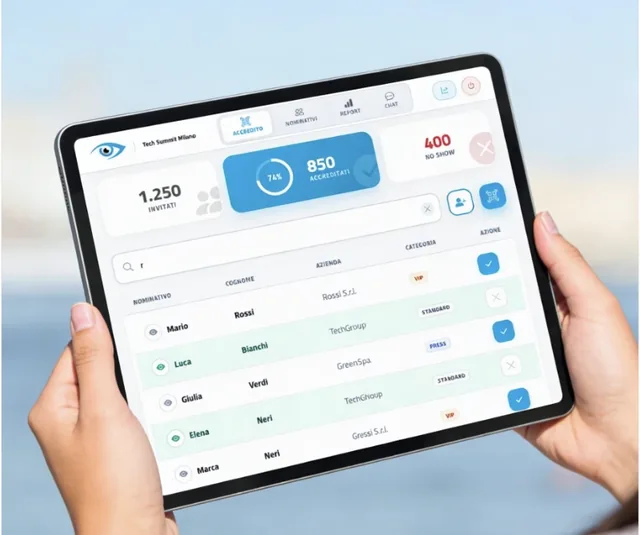
- Live attendance. Knowing how many people have entered, who they are and when they arrived supports security, logistics (such as catering) and decisions during the event.
- Post-event reports. Attendance, peak times, types of attendees (guests, press, exhibitors) and no-shows, meaning registrants who did not turn up, help you evaluate the event and plan the next one.
- Session attendance. If check-in also happens at the door of each room, you can see which topics drew the most people. We cover it in multiple checkpoints and digital check-in.
- Promotion effectiveness. By linking registrations to their source you can see which campaigns brought in the most sign-ups.
Data like this also helps show sponsors and management the results of the event. To go deeper, read digital check-in: accreditation and attendance under control.
4. Security and access control
Security is a priority for any event, and digital check-in offers sturdier tools than a list of names.
- Fewer frauds. Every digital ticket is unique and the system recognizes a pass that has already been used, blocking the second entry.
- Tracked attendees. In an emergency, having an up-to-date list of who is inside is essential for safety and evacuation procedures.
- Different passes for different people. Guests, VIPs, speakers, staff and press can have different access to restricted areas.
- Integration with other systems. In high-security contexts, check-in can connect to turnstiles and other devices. If biometric systems such as facial recognition are used, a specific privacy assessment is needed.
An example: at a festival with a main stage, a VIP area and a backstage, differentiated NFC wristbands or QR codes let you control who is allowed into each zone.
5. Less paper and lower indirect costs
Digitizing check-in reduces materials and waste and, together with them, some costs.
- Less printing. Name lists, tickets and paper invitations are no longer needed.
- Fewer consumables. You save on toner, envelopes, shipping and pre-printed badges that go to waste when people do not show up.
- A more sustainable image. Communicating choices like this can improve the event's reputation among people who care about the environment.
- Less wasted time. Fewer errors mean fewer problems to fix and fewer people assigned to manual tasks.
To explore the environmental side, read sustainable digital accreditation: less paper, more efficiency.
How to introduce it at your next event
Moving to digital is simpler than it looks, but it needs proper planning. If you also manage registrations with a platform such as webRay®, registration and check-in work on the same data and the process becomes more linear.
- Choose the right software. Consider the size of your event, budget and required features (CRM integration, payments, app), favoring scalable solutions with good technical support. The essential features are covered in our guide to event accreditation software.
- Prepare your attendees. Explain how check-in will work, send instructions on how to get and present the digital pass, and keep online registration simple.
- Check your hardware. You need enough scanning devices (smartphones, tablets, dedicated readers) and a stable connection, or a solution that also works offline and syncs data afterwards.
- Train your staff. The people at the entrance must know the software and handle special cases, such as an attendee who forgot their smartphone.
- Test the system. Before the event, simulate real situations, including arrival peaks, to find problems in advance.
- Prepare a plan B. An emergency list and an assisted desk let you handle failures or attendees in difficulty without stopping the entrance.
The event-day checklist
Before you open the doors, check these points:
Frequently asked questions
Do I need an internet connection for digital check-in?
It depends on the system. Many software products need a stable connection; others have an offline mode that saves scans and syncs them as soon as the network is back. If your venue has uncertain coverage, ask for this feature when choosing.
What happens if an attendee forgets their smartphone or pass?
At an assisted desk, the operator looks up the name in the system, verifies identity and records the entry; some systems can also print a badge on the spot. That is why it is wise to always have an emergency list and a plan B.
What is the difference between digital accreditation and digital check-in?
In everyday language they are almost synonyms. "Accreditation" covers the whole process of registering and admitting attendees; "check-in" refers to the moment of arrival, when the pass is checked.
Is it worth it for a small event?
With a few dozen guests, a digital tick-off list on a tablet may be enough and simpler than a full system. The advantage grows as attendee numbers, access categories or the need for reliable attendance data increase.
How is attendees' personal data handled?
Digital check-in collects personal data, so you need a clear privacy notice, collection of only the data you need, and access limited to those who need it. Check with your provider where and how data is stored.
A simpler entrance, a stronger event
Digital check-in transforms one of the most delicate moments in organizing an event. Efficiency, attendee experience, data, security and sustainability are five benefits that add up. It is not the only way: for a very small event, a digital tick-off list on a tablet may be enough. When attendee numbers grow, access categories multiply or you need reliable attendance data, a structured system becomes a clear advantage.
Want a line-free entrance at your next event?
I.T.S. Planet's goAhead suite handles guest accreditation, access control and real-time attendance monitoring, with QR code, digital tick-off or signature, and can be customized to your event.
Discover the goAhead suite