Italiano
What visitors must understand in the first few seconds
People who open a congress website almost always arrive from an invitation email, a post or a word from a colleague. They already have some interest, but little patience. At the top of the page, without scrolling, they should find five pieces of information: the name of the event, the dates, the city or venue, who it is for and a clear button to register.
It sounds obvious, yet the first screen is often taken up by an evocative image and a welcome message, while dates and registration sit at the bottom or inside a menu. Visitors should not have to search: they need to recognise straight away that they are in the right place and know what the next step is.
The same applies to campaigns. If you promote the congress with emails or ads, the page people land on must pick up exactly the message that persuaded them to click. How to make campaign pages and the website work together is explained in the article on landing pages and professional websites.
A few pages, one clear path to registration
The simplest way to decide which pages you need is to start from the questions of someone deciding whether to attend. Is it worth it? Who is speaking and about what? Where is it and how do I get there? How much does it cost and what is included? What is the deadline? Who do I write to if I have a question? Each important question deserves a clearly visible page or section, and nothing more.
The programme is usually the most visited page, and it should stay readable even when it changes: sessions split by day, clear times, links to speaker profiles. Practical information on the venue, transport and accommodation cuts down emails to the secretariat. A frequently asked questions section, updated during the campaign, gathers answers that would otherwise be given one by one.
Above all, every page should lead back to registration with the same button, in the same position. Someone who reads the programme and is convinced should be able to act right then, without going back to the home page. Designing this path is part of the work on structure and navigation in professional websites: first you decide where the visitor should end up, then you design the pages.
Copy that answers the right questions
The introduction does not need to describe the whole congress, but to explain why it is worth being there: what attendees take home, which topics are covered, what kind of audience they will meet. A few concrete sentences work better than a long institutional paragraph.
Fees and deadlines must be written without ambiguity. If there are different rates for members, students or early registration, a small table is clearer than a list of exceptions. The same goes for what the fee includes and what is bought separately, such as workshops, dinners or accommodation. If the congress offers training credits or certificates, state exactly how they are obtained.
Finally, the buttons: "Register" or "Sign up now" say what happens when you click, "Find out more" does not. For a fuller method on headings, paragraphs and calls to action, read the guide on how to write web copy that brings in enquiries.
Designed for the phone first
Many invitees open the link on their phone, perhaps between meetings. If the programme is a table that has to be zoomed and dragged around, or the form has tiny fields, people put off registering until they are at their computer. And often they do not come back.
A site designed for phones shows the programme in readable blocks, uses buttons large enough to tap without mistakes, loads quickly even on a weak connection and lets people fill in the form easily. It is not only about convenience: the quality of the mobile version also affects search engine rankings.
If you want to know more, the article on responsive websites and SEO explains why the mobile version affects the visibility of the whole site.
The registration form: where most people drop out
The form is where interest turns into registration, and it is also where many people give up. The first tip is to ask only for what you really need to manage attendance. Every extra field is one more question to answer, and collecting less data is also good privacy practice: for notices and consents, always check with your advisor.
The second tip is to show each person only the questions that concern them. A speaker, a guest and a companion need different paths: with conditional fields, options appear based on previous answers and the form stays short for everyone.
The third concerns what happens after the click. If the congress has fees or paid services, payment should take place within the same flow, as explained in the article on how to collect event fees and services without chasing bank transfers. Straight afterwards, the person should receive a confirmation summarising their choices. This is where the website must talk to the system that manages registrants: platforms such as webRay® create the registration website with profiled forms, payments linked to the guest's record and scheduled communications, and can sit alongside the event's main website. Why a dedicated tool beats a generic form is covered in our article on managing registrants with a dedicated tool.
Languages and different audiences
An international congress needs a multilingual website, and translation is not just about the pages. The form, error messages, confirmation emails and reminders must be in the language chosen by the participant, otherwise the flow breaks at the most delicate step.
Some languages need special care: Arabic, for example, is read from right to left and changes the layout of the whole page. webRay® manages registration websites in Italian, English and Arabic, with separate paths by language and profile.
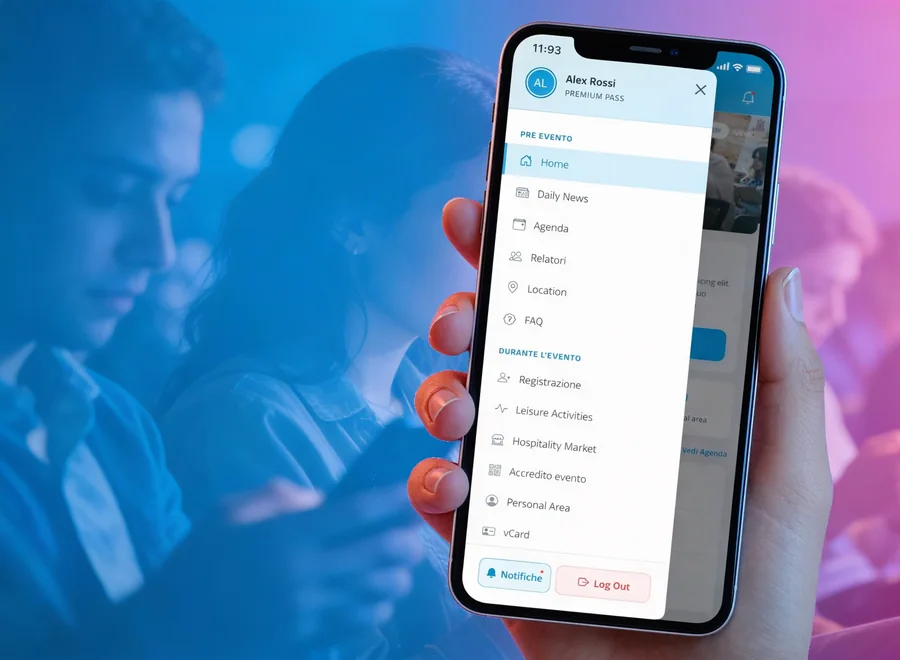
The website accompanies participants up to the day of the event. During the congress, the updated programme, maps and notifications belong in a web app such as eventMe, which opens in the browser without downloading anything and is connected to the platform that manages registrations.
How to set up your congress website in 5 steps
Before starting work on the website, it is worth settling a few decisions with the organising committee and the secretariat.
- Define audience and goalWho needs to register, with which profiles and in which languages. Pages, paths and form fields all depend on this.
- List the visitor's questionsWrite down the questions a potential participant asks before registering and turn each one into a page or section.
- Prepare copy, fees and deadlinesGather the introduction, programme, speaker profiles, venue information and the final price list. State clearly what is included and what is not.
- Design the form and confirmationsDecide which data to ask each profile for, how payment works and which emails go out after registration. Involve your advisor for privacy notices and consents.
- Test everything on a phone before publishingAsk a couple of colleagues to register from a smartphone, in every language provided, and fix the points where they get stuck.
Checklist before opening registration
Before publishing the website and sending the first invitation, check these points, ideally by testing everything on a phone.
Before publishing your congress website
Complete first screen. Name, dates, venue, audience and registration button are visible without scrolling.
Registration always within reach. Every page shows the same button in the same position.
Clear fees. Rates, deadlines and included services are stated without ambiguity.
Essential form. Only the necessary data is requested and each profile sees only its own questions.
Immediate confirmation. After registering, an email with a summary goes out in the participant's language.
Smartphone test. Programme, form and payment work well on a phone too.
Frequently asked questions
Do we need a dedicated website, or is a page on the association's site enough?
It depends on the size of the event. For a congress with a detailed programme, several participant profiles or more than one language, a dedicated website, or a registration website linked to the main site, makes the path clearer and easier to update.
How does the main website connect to the registration form?
The main website can present the event and link to the registration website, with consistent design and messaging. What matters is that the transition is smooth and that data flows directly into the system that manages registrants.
How early should the website go live?
There is no single rule: it depends on the audience and on deadlines such as early-bird rates. In any case it is best to publish it before the first invitations, even with a provisional programme, so that people who hear about the event find information and registration straight away.
Can the website be reused for future editions?
Yes, if it is designed with updates in mind: structure, form and core copy stay, while programme, dates and speakers change with each edition.
Do you need a registration website for your event?
Tell us about your congress: we design a website that takes visitors all the way to registration, connected to the system that manages registrants, payments and confirmations.
Discover professional websites