Italiano
In short
A native app offers the best performance and full access to the phone, but costs more because it needs one version for iOS and one for Android. A web app, with its PWA evolution, costs less and updates instantly but is more limited. A hybrid app writes the code once for both systems and is a good compromise for most medium-complexity projects.
The first fork: three roads to the smartphone
Almost everything a customer does on their phone today goes through an app or a web page. Before writing a single line of code, though, whoever designs an app must make the most delicate choice: which type of app to build. A wrong choice is not obvious at first, but it weighs later: unexpected costs, disappointing performance, a frustrating user experience and, in the end, few people who actually use it.
There are three possible roads:
- Native app. Built specifically for a single operating system (iOS for iPhones, Android for the other smartphones) and installed from the App Store or Google Play.
- Web app. An interactive website that behaves like an app and opens in the browser, with nothing to download.
- Hybrid app. An app written once and published in the stores for both iOS and Android.
The context in numbers
- According to Sensor Tower, in 2025 people spent 5.3 trillion hours in apps and $167 billion in the iOS and Google Play stores.
- In August 2026, Android and iOS cover almost all smartphone web traffic: 67.61% Android and 32.36% iOS, according to StatCounter. Choosing almost always means thinking about both.
- A 2020 eMarketer estimate for US adults says 88% of the time spent on the mobile internet happens inside apps.
These are international and partly US figures: they indicate a direction, not a forecast for your sector.
This guide compares the three roads in a practical way, with a summary table and a method for deciding. For costs, see app development costs: the factors that matter most (in Italian), and for an overview, the complete guide to app development for business (in Italian).
Native apps: top performance and integration
What a native app is
It is an app designed to run on a single operating system, using the official programming languages and tools of whoever makes it: Swift for Apple's iOS, Kotlin for Google's Android (Objective-C and Java were used in the past). Because it "speaks" the phone's own language directly, it makes the most of its capabilities and integrates with the system the way a factory app would.
The advantages
- Superior performance. There is no intermediate layer between the app and the phone: smooth animations and instant response. It is decisive for 3D games, photo and video editing, augmented reality or apps that process a lot of data in real time.
- A user experience consistent with the phone. It follows Apple's and Google's design rules, so buttons, gestures and navigation are the ones users already know.
- Full access to device features. Camera, GPS, motion sensors, biometric recognition (fingerprint and face), Bluetooth, NFC and advanced notifications.
- Security. It can rely on the operating system's protections, such as data encryption and protected areas for access keys.
- Offline operation. It saves data on the phone and syncs it when the connection returns.
- Presence in the stores. The App Store and Google Play make distribution easier and convey trust.
- System novelties available immediately. New features introduced by Apple and Google can be adopted first.
The disadvantages
- Higher costs. To cover iOS and Android you need two separate apps, with different code and skills: the investment grows accordingly.
- Longer timelines. Building, testing and fixing two apps takes more time than a single solution.
- More demanding maintenance. Every novelty or fix has to be built and released twice.
- Store review. Apple and Google check every version; a rejection can delay a launch or an update.
- Slower updates. Every change requires a new version to publish and for users to download.
When it makes sense
- Performance comes first: games, augmented reality, audio and video editing.
- You need advanced phone features or deep access to the system.
- The user experience must be the best possible and perfectly in line with each platform.
- There are complex background tasks or sophisticated notification handling.
- The business model depends on in-app purchases or subscriptions managed through the stores.
- The brand aims at a top-quality product and budget is not the main constraint.
Web apps and PWAs: reaching everyone with one build
What a web app is
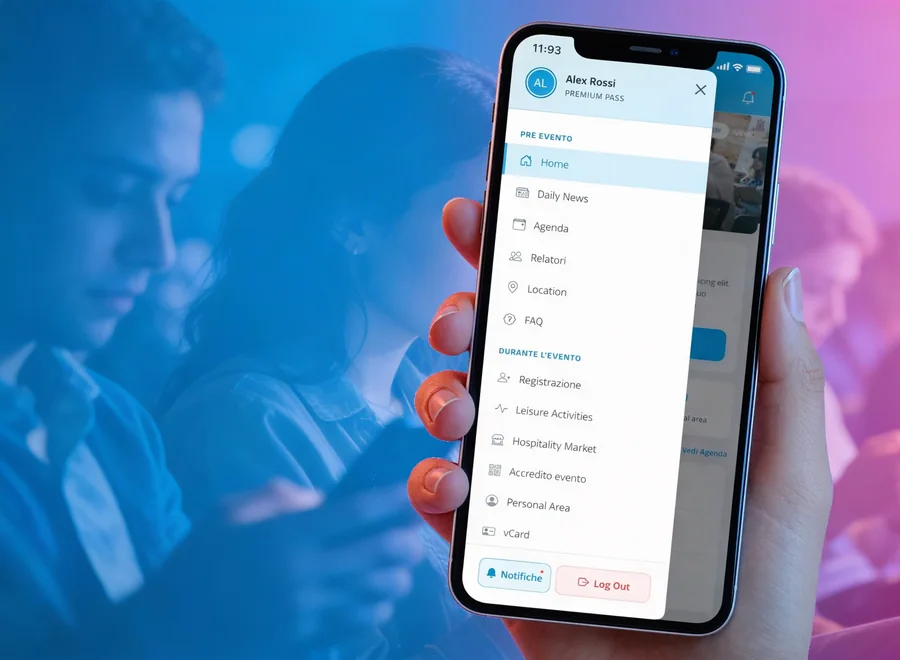
A web app is an application that lives on the web: you open it with an address in the browser (Chrome, Safari, Firefox), without going through a store and without installing anything. It is built with standard web technologies (HTML, CSS and JavaScript) and sits on a server. An example is the eventMe event web app, which runs in a web page with no download.
The advantages
- One version for everyone. It works on any device with a modern browser: iPhone, Android, computer.
- Lower costs and shorter timelines. You build and maintain a single solution.
- Instant updates. You change it on the server and all users see the news on the next load, with no approvals.
- Distribution without intermediaries. It is online as soon as you publish it and is shared with a link.
- Nothing to install. It takes up no space on the user's phone.
The limits
- Lower performance. Working inside the browser, it is slower and less responsive than a native app on heavy tasks.
- Less integrated experience. It is hard to reproduce the style of each system, and some animations typical of native apps may be missing.
- Limited access to phone features. Some sensors, file access or interactive notifications are restricted or impossible.
- Dependence on the connection. Many need internet, although PWAs ease the problem.
- Lower visibility. Not being in the stores, it must be promoted with SEO, content and social media.
PWAs: web apps that behave almost like apps
Progressive Web Apps (PWAs) are web apps enhanced with modern browser features that bring them closer to native apps:
- Installable on the Home Screen, with an icon and full-screen launch.
- Working offline: they store resources on the device and work even with no or weak connection.
- With push notifications, with differences between browsers and systems.
- Automatically updated, in the background.
- Secure and shareable: they are served over HTTPS and reached with a link.
A frequently cited case is Alibaba: after moving to a PWA it recorded +76% conversions on the mobile web, according to Google's case study from 2016. It shows the potential, but it is a specific and now dated case.
On iPhone the picture has changed: since 2023 (iOS 16.4), web apps added to the Home Screen can send push notifications. In February 2024 Apple announced the removal of these web apps in the European Union, as reported by The Register, and then reversed course on March 1, 2024. Limits remain: notifications only work after adding the app to the Home Screen, and features such as Bluetooth and NFC are missing from the browser. Even with a PWA, then, access to phone features remains less complete than with a native app.
When it makes sense
- You want to validate an idea quickly with an MVP (Minimum Viable Product): the first essential version, to test the market with a limited investment.
- The app is content-based: blogs, news sites, online portfolios.
- You need product catalogs or simple online sales platforms.
- You are building internal business tools accessible from several devices.
- The goal is maximum reach with a single solution.
- You want an app-like experience (installation, offline, notifications) without the costs of native, and the features you need are well supported. For more structured projects, see our custom web platforms.
Hybrid apps: a strategic compromise
What a hybrid app is
A hybrid app is written once and runs on iOS and Android, published in the stores like a native app. There are two families:
- Classic. A web app "wrapped" inside a native container. The container (WebView) is essentially a browser window inside the app; add-on components (plugins) give access to the camera, GPS and other phone features.
- Modern. Tools such as Flutter and React Native (a framework is a toolkit for building apps) use a single codebase but produce an interface very close to a native one, with very good performance.
The advantages
- One codebase for two platforms. Less time and lower cost than two native apps.
- One team. Instead of two specialists, one per system, a team with skills in the chosen framework is enough.
- Faster launch on both stores.
- Access to phone features through add-on components: camera, location, notifications, sensors.
- Presence in the stores, with their visibility and monetization tools.
- Maintenance more manageable than native. Common fixes and novelties are done once.
- Reusable web skills for companies that already have web developers.
The disadvantages
- Performance not always at native level for intensive graphics or heavy processing, although the gap has narrowed a lot with modern frameworks.
- User experience sometimes a compromise. Replicating each system's style to the millimeter can be hard.
- Dependence on components and frameworks. If a component is not updated, or the framework changes direction, you are tied to it.
- System novelties not always available immediately. Sometimes you have to wait for the framework or write custom native parts.
- Harder problem-solving. A defect can sit in more than one layer.
- Sometimes larger size than a lean native app.
The main frameworks today
- Flutter (Google). Uses the Dart language and draws the interface with its own graphics engine. Since version 3.27, according to the official documentation, the default engine is Impeller on iOS and on Android (from Android 10, API 29).
- React Native (Meta). Based on JavaScript and React, it builds the interface with real native components and is backed by a very large community.
- Ionic with Capacitor. Uses standard web technologies, including with Angular, React or Vue: it suits teams with strong web skills that choose a WebView-based approach.
- .NET MAUI (Microsoft). Uses C# and lets you build apps for iOS, Android, macOS and Windows. It is the successor of Xamarin, whose support ended on May 1, 2024: anyone still running Xamarin apps should plan a migration.
- Kotlin Multiplatform. Lets you share the app's logic between Android and iOS, keeping native interfaces if needed.
- Cordova and PhoneGap. They were the pioneers, but are now considered outdated for new projects. Capacitor, born from the Ionic team, is their natural heir.
How widespread are they? In the Stack Overflow Developer Survey 2023, Flutter and React Native are almost level among professional developers, at about 9% each.
When it makes sense
- You want to reach iOS and Android with a smaller budget and shorter timelines than two native apps.
- The app has medium complexity and uses common features (camera, location, notifications) without requiring extreme performance.
- The team already has web skills and skills in one of the main frameworks.
- Reaching both platforms early is a critical factor.
- You need store distribution and broader access to the phone than a PWA offers: for example apps for event management, service booking or employee tools.
The comparison in one table
The ratings are indicative: the result always depends on the project and on how it is built. For the hybrid app we consider modern frameworks, such as Flutter and React Native.
| Aspect | Native app | Web app / PWA | Hybrid app |
|---|---|---|---|
| Performance | Excellent | Good (a PWA beats a simple web app) | Very good |
| User experience | Maximum consistency with the phone | Generic, less integrated | Good, depends on the framework |
| Phone features | Complete | Limited (growing with PWAs) | Extensive, through add-on components |
| Initial cost | High | Low | Medium |
| Development time | Long | Short | Medium |
| Maintenance | Demanding (two apps) | Simple (update the server) | Medium (one shared base) |
| iOS and Android with one build | No | Yes | Yes |
| Store presence | Yes | No (installed from the browser) | Yes |
| Offline operation | Excellent | Limited (better with PWAs) | Good |
| Updates | Published and approved in the stores | Instant | Published and approved in the stores |
How to decide: eight questions to ask yourself
There is no answer that fits everyone. Here are the factors to weigh, one at a time.
- Budget and timing. With limited resources and an urgent launch, a web app or PWA is often the best fit. With a medium budget and the need to be in the stores, a hybrid app is a good compromise. Native is for those with a significant investment who aim at maximum quality. Do not forget maintenance costs over time.
- User experience and performance. Complex animations, 3D graphics or instant reactions favor native. For informational or service apps, the perceived difference may be minimal.
- Phone features. List what you truly need: advanced camera, precise location, Bluetooth, NFC, biometric recognition, health data. Native offers the most complete access; hybrid reaches many features through add-on components, to be checked one by one; PWAs are growing but remain more limited.
- Complexity, today and in the future. For very complex apps or ones meant to evolve a lot, native gives more control. If complexity is medium, hybrid is more efficient. For simple or content apps, a PWA may be enough.
- Distribution. If being on the App Store and Google Play is crucial for marketing and visibility, choose native or hybrid. If you prefer direct distribution, without store fees or reviews, go for a web app or PWA.
- Maintenance and updates. Web apps are the easiest to update. Hybrid apps simplify the work compared with native, but still require republishing in the stores. Native apps have the most burdensome maintenance.
- Security. Native apps make the best use of the system's protections; web apps depend on server security and good web practices; hybrid apps combine the challenges of both. For very sensitive data, a carefully designed architecture is advisable regardless of the technology chosen.
- Available skills. With experienced web developers, React Native, Ionic or a PWA are natural choices. Native requires specific skills in Swift and Kotlin.
A rule of thumb
- You want to validate an idea on a small budget: web app or PWA.
- You want to be on iOS and Android with a medium budget: hybrid app.
- Performance or phone features are the heart of the product: native app.
It is a starting point: exceptions always depend on the project.
Seven tips to avoid a wrong choice
- Define your requirements. Separate what the app absolutely must do from what would be nice to have. Before thinking about languages and tools, clarify who will use it, which problem it solves and what business goals it has.
- Study your user. Where do they spend their time? Are they more likely to download an app or browse the web? What do they expect in speed and ease of use?
- Look at your competitors. How are their apps built? What works and what does not? Take inspiration, without copying.
- Start with an MVP. Launching an essential version to test the market and collect real feedback is a prudent strategy, especially on a limited budget: a PWA or a hybrid app is often a good fit. For the method, see the 6 phases of building a web platform.
- Do not sacrifice quality for speed. A fast launch matters, but a slow or buggy app damages your reputation and drives users away.
- Think about growth and maintenance. Today's choice affects the cost and ease of evolving the app tomorrow: prefer technologies with a good community and long-term prospects, and do not follow a trend just because it is a trend.
- Test on real devices. Testing on different phones, different system versions and slow or unstable networks, not only on simulators, is decisive for a good experience.
Frequently asked questions
Is a native app or a hybrid app better?
It depends on the project. A native app is best when extreme performance, advanced phone features and an experience perfectly matched to each platform matter. A modern hybrid app is often more sensible for most medium-complexity apps, with a smaller budget and shorter timelines.
Can a PWA replace an app in the stores?
In many cases yes, for example with content, catalogs or internal tools. It is less suitable when you need advanced hardware features, complex notifications, or when store presence is central to the business. On iPhone, push notifications only work after the web app has been added to the Home Screen.
How much does it cost to develop an app?
It depends on complexity, design, features and technology. As a general rule, a web app costs less than a hybrid app, which in turn costs less than two native apps. For the factors that matter most, read app development costs: the factors that matter most (in Italian).
Can I start with a web app and move to an app later?
Yes, it is a common strategy: you validate the idea with a web app or PWA and, if it works, move to a hybrid or native app. Part of the work (analysis, content, data, service logic) can be reused, while the interface may need to be rewritten.
I already have a website: do I also need an app?
If your website reads well on smartphones and mainly serves to inform, often not. An app makes sense when you need frequent use, phone features, notifications or an ongoing relationship with the user. If your website is not solid yet, start from how to set up a professional website (in Italian).
Choose based on the project, not on trends
The question "native, web or hybrid?" has no universal answer. The right choice comes from crossing business goals, user needs, budget, timing, required features and available skills. In short: a native app delivers the most on performance, user experience and access to the phone; a web app, especially in its PWA version, offers maximum reach, contained costs and instant updates; a hybrid app is an increasingly solid compromise between cost, time and quality.
Give planning the time it deserves: technology is only the first step of a journey, but it must be the right one for your destination.
Have an app idea and do not know where to start?
We help you understand whether a web app, a hybrid app or a native app is right for you, and build the right solution for iOS and Android, from design to store release.
Discover our iOS and Android app development