Italiano
Why consider building an app
If you work in event secretariat or manage business processes, you've probably already wondered whether an app could make your life easier: fewer calls, fewer emails, a direct channel with clients or attendees. The short answer is: it depends on what you need to achieve, and how much you're willing to invest to get there.
One figure worth thinking about: according to an eMarketer estimate, smartphone users spend roughly 90% of their mobile time inside apps, not in the browser. If your audience needs to come back and interact with you repeatedly — during an event, or in an ongoing customer relationship — that's the playing field where the experience gets decided.
That said, an app isn't always the right choice. For many projects — especially those tied to a single event — a web app accessible from a browser, with no download or store approval required, solves the same problem with much shorter timelines and lower costs. We cover this further down in the article.
Project phases, from idea to launch
Understanding how a development project unfolds helps you communicate better with the agency you choose and evaluate the quotes you receive more knowingly.
- Ideation and analysisDefining what the app is for, who will use it, and which features are actually essential for the first release. This is where the most costly waste gets avoided.
- UX/UI designWireframes and prototypes are drawn up: how the user moves through the app, what appears on each screen, how content is organized.
- Development (coding)The team writes the code, choosing between native, hybrid, or cross-platform development based on budget, timeline, and required features.
- Testing and quality assuranceThe app is tested across multiple devices and operating systems to catch bugs and usability issues before public release.
- Publishing on the app storesFor native apps, this means going through Apple App Store and Google Play Store review, which can take anywhere from a few days to several weeks.
- Maintenance and updatesAfter launch you need monitoring, fixes, and regular updates: this is a cost to plan for from the start, not an afterthought.
How much does app development cost
This is the question that matters most, and the honest answer is: it depends. App development cost varies significantly based on feature complexity, platform choice, design quality, and team size. Here's an indicative estimate, useful as a starting point:
| App type | Indicative cost |
|---|---|
| Simple app (basic features, few screens) | €15,000 – €30,000 |
| Medium-complexity app (integrations, database, login) | €30,000 – €70,000 |
| Complex app (advanced features, AI, augmented reality) | €70,000+ |
These figures are purely indicative and vary widely by provider and region: the best way to get a reliable estimate is still to request a detailed quote from several agencies, comparing what's included — design, development, testing, post-launch maintenance — not just the final number.
Native, hybrid or cross-platform: how to choose
This is the technical decision with the biggest impact on cost and timeline. Here are the three main routes, explained without the jargon:
| Approach | What it means | When it's worth it |
|---|---|---|
| Native | Code written specifically for iOS or for Android | Best performance, full access to device features; costs more if you need to cover both systems |
| Hybrid | Web technologies (HTML, CSS, JavaScript) wrapped in a native container | A single codebase for both platforms; lower cost and time, some limits on advanced features |
| Cross-platform | Frameworks like React Native or Flutter, one codebase compiled for multiple systems | Good balance of performance, cost, and development speed |
There's no single answer that fits every project: the choice depends on budget, available time, and how much the app needs to tap into device-specific features (camera, push notifications, sensors).
The most-used technologies, in brief
You don't need to know how to code to manage a development project, but knowing which tools your team will use helps you understand the technical choices you'll be presented with.
- Swift — the most widely used language for native iOS development.
- Kotlin — the official language for native Android development.
- JavaScript — the foundation of hybrid and cross-platform development, with frameworks like React Native and Ionic.
- Flutter — Google's framework for cross-platform apps with a single codebase.
- Firebase / AWS Amplify — cloud services that handle data, notifications, and authentication without building everything from scratch.
Native app or web app? A choice worth weighing
If your goal is tied to an event or a service that doesn't require deep access to phone features, it's worth weighing a often more efficient alternative before starting native app development.
Why a web app can be the more practical choice
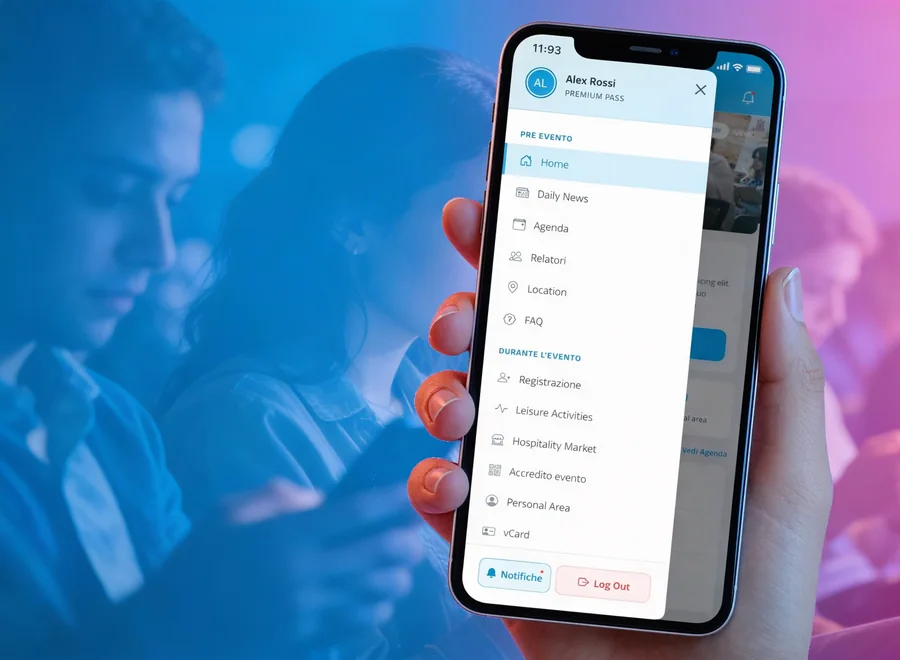
This is exactly the principle behind eventMe, I.T.S. Planet's customizable web app designed for agenda, networking, and live interaction during an event, with nothing for attendees to install. For a deeper comparison, we've dedicated an article to event web apps versus native apps, and why the web app often wins.
What's changing in the industry
A few directions are already shaping the choices behind upcoming development projects:
- Built-in artificial intelligence — content personalization, chatbots, behavior-based suggestions.
- Augmented reality — practical applications in retail, training, and events, not just gaming.
- Low-code/no-code development — cuts time and cost for projects with simpler requirements.
- Web app first — more and more organizations are choosing browser-accessible solutions to reduce friction and adoption time.
Frequently asked questions
A simple app generally takes 2-4 months; medium-complexity projects take 4 to 6 months. A complex app with advanced integrations can take more than 6 months. Not necessarily. If your audience is concentrated on one platform, or if timelines are tight, it can make sense to start with a single operating system, or to consider a cross-platform solution or a web app that covers both without doubling costs. The maintenance phase begins: fixes, OS updates, new features based on user feedback. It's a recurring cost to include in the budget from the very first quote. Ask for examples of similar projects, check exactly what's included in the quote (design, testing, maintenance), and make sure the team explains the technical choices in terms you understand, not just jargon.How long does it take to develop an app?
Should I always develop for iOS and Android together?
What happens after the app launches?
How do I choose the right agency to develop my app?
Have an app project in mind?
The I.T.S. Planet team builds custom iOS and Android apps around your business's real needs, from design through launch. Tell us about your project: we'll help you find the most efficient path, in terms of both cost and time.
Discover I.T.S. Planet app development